Another Note Widget (MOD) 3.11.1
How to install APK / APKS / OBB file on Android
Prefer apk.dog on GoogleHi, There you can download APK games file "Another Note Widget" for Android free, apk file version is 3.11.1 to download to your android device just click this button. It's easy and warranty. We provide only original apk files. If any of materials on this site violates your rights
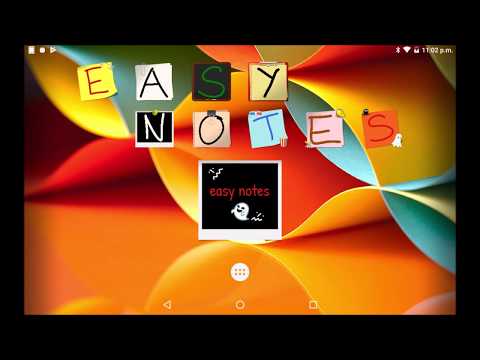
Another Note Widget is a simple note-taking widget for your Home screen, perfect for short daily notes.
Choose from Various Designs
Personalize your notes with 6 different designs: Sticky note, Plain Papers, Notebook Papers, Blackboard, and more.
40+ Themes
Various pins and more then 40 themes (Christmas, Halloween, Valentine's Day, holidays, food, animals, sports, etc.) to decorate your notes.
Text and Drawing
Your notes can contain simple text enriched with emojis or hand-drawn sketches.
Multiple Handwritten Fonts
Enhance the visual appeal of your notes by selecting from a variety of handwritten fonts.
Customize with Colors
Make your notes stand out with custom paper, pen, and highlighter colors.
Share Your Creativity
Showcase your designs by sharing your notes on social media platforms like Facebook, X, and more. Share your thoughts with the world.
Privacy
All your notes are stored locally on your device, ensuring your privacy.
Ads-Free Option
Upgrade to the Ads-Free version with a one-time payment and enjoy an uninterrupted note-taking experience without any ads.
?️ Bug fixes and other improvements.
? If a note widget suddenly becomes smaller, change the "Image Quality" setting to "Very Good" or "Good."
1. Tap a note on the Home screen.
2. Tap the Settings icon.
3. Change the "Image Quality" setting to [VERY GOOD] or [GOOD].
- LicenseFree
- File nameAnother Note Widget
- File Version3.11.1
- Package namecom.happyneko.stickit

- CategoryProductivity
- DeveloperHAPPY NEKO
- Developer email[email protected]
- Size45.65 MB
- UploadedJanuary 22, 2026
- Android6.0 or later
- md5 hash7fd24df7db1660a004288ff2403dfc4d
- Architecture-
- Permissions7 show
- APKSAnother Note Widget 3.11.1uploaded: Jan 22 2026 size: 45.78 MBAndroid 6.0+, arm64-v8a
- APKSAnother Note Widget 3.11.1uploaded: Jan 22 2026 size: 45.77 MBAndroid 6.0+, armeabi-v7
- Another Note Widget 3.11.1uploaded: Jan 22 2026 size: 45.65 MBAndroid 6.0+
- APKSAnother Note Widget 3.7.0uploaded: Dec 12 2024 size: 35.48 MBAndroid 6.0+
- Another Note Widget 3.7.0uploaded: Dec 12 2024 size: 35.35 MBAndroid 6.0+
- Another Note Widget 3.6.10uploaded: Mar 18 2024 size: 24.38 MBAndroid 6.0+
- Another Note Widget 3.5.2uploaded: Nov 07 2023 size: 23.62 MBAndroid 6.0+
- Another Note Widget 3.4.2uploaded: Jun 25 2023 size: 23.7 MBAndroid 6.0+
- Another Note Widget 3.3.7uploaded: Mar 06 2023 size: 22.52 MBAndroid 5.0+
- Freenotes - Notes Taking & PDFversion: 3.29.0updated: Nov 16 2026rating: ★8.2/10
- Sociallite -Block Reels&Shortsversion: 3.0.4updated: Nov 16 2026rating: ★9/10
- Google Geminiversion: 1.0.995038376updated: Oct 19 2026rating: ★9.1/10
 Poe - Fast AI Chatversion: a3.80.1updated: Nov 11 2026rating: ★8.8/10
- Floating Apps (multitasking)version: 4.29.0updated: Oct 09 2026rating: ★7.7/10
- BrainPal: See Your Reel Countversion: 24.0.703updated: Nov 22 2026rating: ★8.8/10
- Microsoft Excelversion: 16.0.19127.20134updated: Sep 05 2025rating: ★9.6/10
- Grokversion: 1.2.58-release.00updated: Nov 21 2026rating: ★9.8/10
- Wispr Flow: AI Voice-to-Textversion: 2.8.8updated: Nov 21 2026rating: ★9.3/10
- PikPak-Safe Cloud, Video Saverversion: 2.6.2updated: Nov 22 2026rating: ★9.1/10
- Quillbot: AI Writing Assistantversion: 5.3.0updated: Nov 18 2026rating: ★8.9/10
- Floatee - Floating All In Oneversion: 4.2updated: Nov 18 2026rating: ★8.1/10
- Microsoft Wordversion: 16.0.19127.20134updated: Sep 05 2025rating: ★9.6/10
- Lovable: Build Apps With AIversion: 1.2.5updated: Nov 20 2026rating: ★9.4/10
- Heygen AI Video Workflowversion: 2.1.6updated: Mar 21 2026rating: ★7.6/10
- Sexy Chatbot X - No Filter AIversion: v1.61updated: Sep 06 2025rating: ★8.8/10
- ScrollGuard: Hide Reels Shortsversion: 1.2.98updated: Nov 22 2026rating: ★9.6/10
- NaturalReader - Text to Speechversion: 9.51updated: Nov 02 2026rating: ★8.6/10
- Perplexity - Ask Anythingversion: 2.105.0updated: Nov 18 2026rating: ★9.2/10
- Replit: Vibe Code with AI Fastversion: 2.206.0updated: Oct 21 2026rating: ★8.9/10
- Beatron - AI Music Makerversion: 34.0updated: Nov 06 2026rating: ★9.1/10
- Microwardsversion: 1.1.4updated: Jul 13 2024rating: ★6.2/10
- Summary - AI Note Takerversion: 2.23.1updated: Nov 18 2026rating: ★9.2/10
- MonokaiToolkitversion: 19.0.0updated: Sep 11 2026rating: ★6.9/10
